Social media has changed the way people consume video. Users scroll through feeds quickly, often deciding within a few seconds whether a video is worth watching. For brands, creators, e-commerce businesses, agencies, and personal brands, simply creating a video is no longer enough. The video needs to capture attention quickly, communicate a clear message, maintain interest, and encourage viewers to take an action.
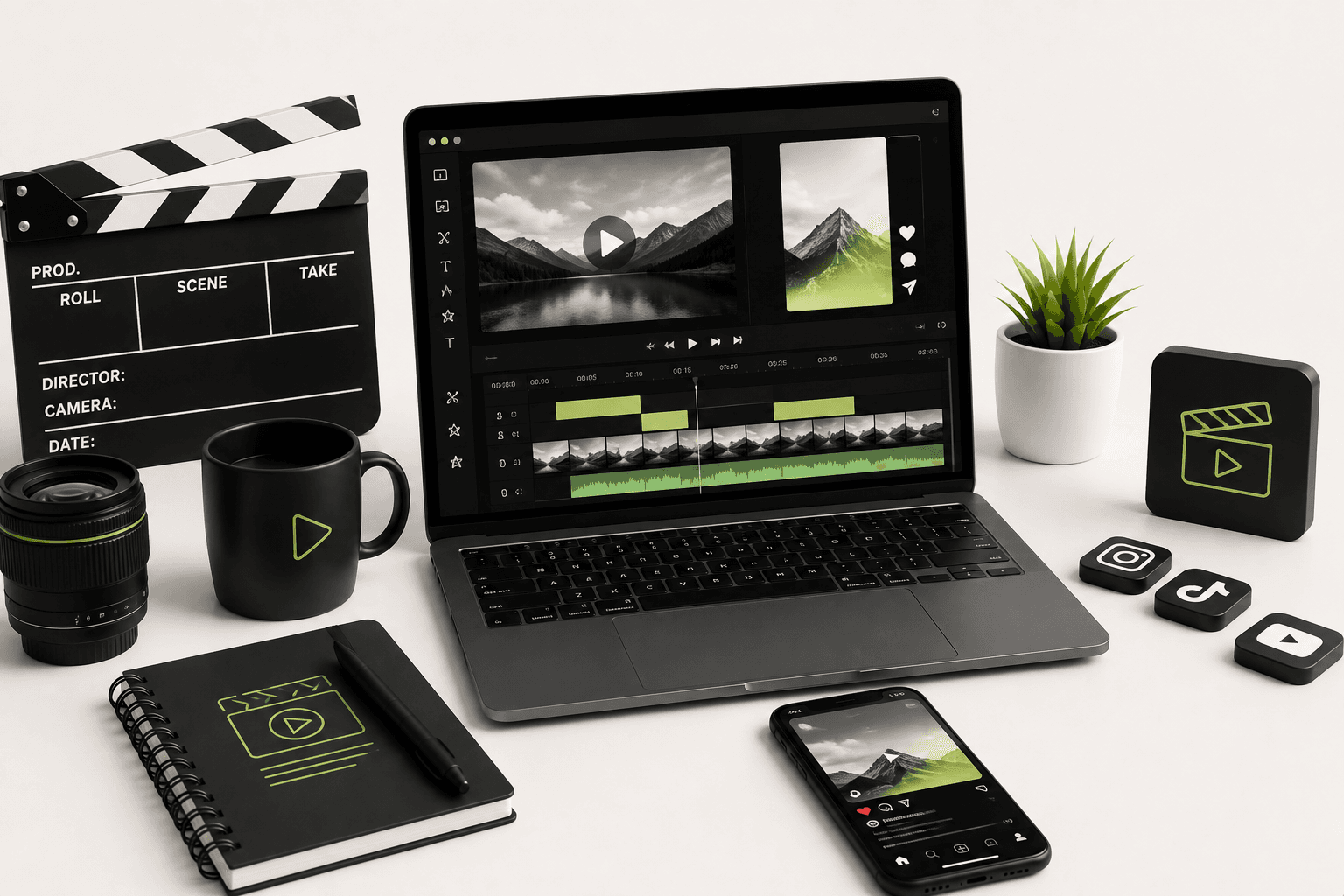
This is where professional video editing for social media becomes important. Good editing can transform ordinary footage into a structured piece of content that feels intentional, engaging, and aligned with the brand. Editing can improve pacing, remove unnecessary sections, highlight important information, synchronize visuals with music, add captions, and create stronger transitions between ideas.
Whether you are creating Instagram Reels, YouTube Shorts, TikTok videos, LinkedIn content, product videos, promotional campaigns, educational videos, or short-form advertisements, the editing process plays a major role in how your audience experiences the content.
In this guide, we will explore practical video editing tips for social media, including hooks, pacing, captions, vertical video, storytelling, transitions, sound design, branding, B-roll, retention, platform-specific formats, product videos, editing workflows, and strategies for creating content that encourages engagement.
Why Video Is So Important for Social Media
Video combines movement, sound, text, visuals, and storytelling into a single format. This makes it particularly useful for communicating ideas quickly on social platforms.
A well-edited video can demonstrate a product, explain a service, tell a story, answer a question, introduce a person, show behind-the-scenes footage, or communicate a brand message within a short amount of time.
Short-form video has also become an important content format across platforms such as Instagram, YouTube, TikTok, and other social networks. However, publishing video does not automatically create engagement.
The content still needs to earn the viewer's attention.
This is why the editing process should begin with the question:
"Why would someone stop scrolling to watch this?"
What Makes a Social Media Video Engaging?
There is no single editing formula that guarantees viral content. Social media performance depends on the audience, topic, platform, creative concept, timing, distribution, competition, and many other factors.
However, strong social media videos commonly have several characteristics:
- A clear reason to keep watching.
- A strong opening or hook.
- Fast and purposeful pacing.
- Clear audio.
- Readable captions.
- Strong visual composition.
- Minimal unnecessary pauses.
- A clear story or message.
- Brand consistency.
- A meaningful ending or call to action.
The purpose of editing is to bring these elements together without making the video feel unnecessarily complicated.
1. Start With a Strong Hook
The opening seconds of a social media video are extremely important because users can scroll away immediately.
Your first few seconds should give viewers a reason to continue watching.
A hook can take several forms:
- A surprising statement.
- A question.
- A problem the audience recognizes.
- A useful promise.
- A visual transformation.
- An unexpected result.
- A bold opinion.
- A quick demonstration.
- A compelling visual.
For example, instead of beginning a video with a long introduction such as "Hi everyone, today I am going to talk about website performance," a stronger opening might immediately present the problem: "Your website may be losing customers before your page even finishes loading."
The second approach creates immediate curiosity and establishes why the viewer should continue.
2. Remove Unnecessary Pauses
Real-world conversations contain pauses, repeated words, mistakes, breathing gaps, and moments where the speaker searches for the right sentence.
These moments are natural in conversation but can make short-form social media videos feel slow.
During editing, remove unnecessary:
- Long pauses.
- Repeated sentences.
- Filler words.
- Unnecessary introductions.
- Technical mistakes.
- Dead air.
- Long transitions between ideas.
The objective is not to make every video unnaturally fast. The objective is to make every moment purposeful.
3. Focus on Pacing
Pacing refers to the speed and rhythm at which information is presented.
A video with exactly the same visual for thirty seconds can feel much slower than a video that changes visuals, camera angles, text, B-roll, and framing at appropriate moments.
Good pacing depends on the content.
An educational video may need enough time for viewers to understand a concept, while a product advertisement may use faster cuts to create energy.
Do not confuse fast editing with good editing. Constantly cutting every second can become exhausting and may make the message difficult to understand.
4. Edit for the Platform
Different social platforms have different user behaviors and content environments. A video designed for a landscape YouTube presentation may not automatically work as an Instagram Reel or YouTube Short.
Before editing, decide where the video will be published.
For short-form vertical content, a common format is 9:16, which is designed to fill the smartphone screen.
For example, a vertical video may use a resolution such as 1080 × 1920 pixels, depending on the platform and export requirements.
Always verify the current technical specifications of the platform you are publishing to because recommendations and supported formats can change over time.
5. Use Vertical Video Effectively
Vertical video is particularly important for mobile-first social content.
When editing a vertical video, make sure the important visual information stays inside the safe area of the screen.
Do not place important captions, logos, faces, or calls to action too close to the edges because platform interface elements may overlap them.
Always preview the final video inside a realistic mobile layout before publishing.
6. Use Captions and On-Screen Text
Many users consume social media content in environments where audio is unavailable or inconvenient. Captions therefore play an important role in making video content understandable.
Captions can also reinforce important information even when the viewer is listening to the audio.
Good captions should be:
- Easy to read.
- Large enough for mobile screens.
- High contrast.
- Well synchronized with speech.
- Short enough to scan quickly.
- Consistent with the brand.
Avoid filling the entire screen with large blocks of text. Social media users should be able to understand the message without feeling overwhelmed.
7. Highlight Important Words
Instead of displaying every spoken sentence with identical visual treatment, consider emphasizing important words or phrases.
For example, if the speaker says:
"Your Shopify store is slow because you are loading unnecessary scripts."
The words "slow" and "unnecessary scripts" could receive stronger visual emphasis.
This technique helps viewers understand the core message even when they are quickly scanning the video.
8. Use B-Roll to Maintain Visual Interest
B-roll is supplementary footage that supports the primary story or narration.
If someone is talking about e-commerce photography, the editor could show product photographs, camera equipment, a product page, editing software, or a behind-the-scenes photography setup.
B-roll helps prevent the video from becoming visually repetitive.
Useful B-roll can include:
- Screen recordings.
- Product close-ups.
- Behind-the-scenes footage.
- Office footage.
- Workspace shots.
- Animations.
- Relevant stock footage.
- Before-and-after visuals.
- Product demonstrations.
The important point is that B-roll should support the message rather than simply fill empty space.
9. Use Jump Cuts Carefully
Jump cuts can remove pauses and create a faster rhythm, especially in talking-head videos.
However, excessive jump cuts can make a video feel distracting or unnatural.
Use them when they improve pacing, and combine them with B-roll, camera reframing, text overlays, or subtle visual changes when appropriate.
10. Create Visual Variety
Visual variety can help maintain attention throughout a video.
Depending on the content, you can change:
- Camera framing.
- Crop level.
- B-roll.
- Text overlays.
- Graphics.
- Product shots.
- Screen recordings.
- Animation.
- Background visuals.
The changes should feel connected to the story. Random visual changes can create noise rather than engagement.
11. Use Transitions With Purpose
Transitions can make a video feel polished, but adding a different transition between every clip is rarely necessary.
Simple cuts are often more effective than complicated transitions.
Use transitions when they help communicate:
- A change in location.
- A change in time.
- A change in topic.
- A visual transformation.
- A shift in mood.
Good editing often becomes invisible. The viewer should focus on the story rather than wondering which transition was used.
12. Improve Audio Quality
Viewers may tolerate average video quality, but poor audio can make a video difficult to watch.
Before focusing on complex visual effects, make sure dialogue is clear and understandable.
Audio editing may include:
- Noise reduction.
- Volume balancing.
- Dialogue cleanup.
- Equalization.
- Compression.
- Background music adjustment.
- Sound effect placement.
Music should support the content rather than overpower the speaker.
13. Choose Music Carefully
Music can influence the emotional tone and pacing of a social media video.
Energetic music may work well for fast product demonstrations, while a softer soundtrack may be more appropriate for storytelling or premium brand content.
Always make sure the music is properly licensed for the intended use and platform. Commercial content can have different licensing considerations from personal content.
14. Use Sound Effects to Add Impact
Subtle sound effects can make certain edits feel more satisfying.
Examples include:
- Click sounds.
- Whooshes.
- Notification sounds.
- Interface sounds.
- Impact sounds.
- Transition sounds.
Sound effects should be used intentionally. Too many effects can quickly make a video feel noisy and amateurish.
15. Create a Clear Story
Even a fifteen-second video can have a beginning, middle, and end.
A simple social media structure can be:
- Hook: Capture attention.
- Problem: Introduce the situation.
- Value: Provide information or demonstrate the solution.
- Result: Show the outcome.
- CTA: Tell viewers what to do next.
Not every video needs all five stages, but thinking in terms of story structure can help prevent content from feeling random.
16. Keep the Message Focused
A common social media editing mistake is trying to communicate too many ideas in one short video.
If a video is supposed to explain how to improve Shopify speed, do not simultaneously attempt to cover web design, branding, photography, paid advertising, and social media strategy.
Choose one main idea and build the video around it.
A focused video is generally easier to understand, edit, caption, and package for social distribution.
17. Use Pattern Interrupts
A pattern interrupt is a deliberate change that breaks visual or auditory repetition and renews attention.
Examples can include:
- Changing camera framing.
- Introducing B-roll.
- Showing a graphic.
- Changing background.
- Adding a close-up.
- Displaying a surprising statistic.
- Switching from talking head to screen recording.
Pattern interrupts should support the story rather than become random distractions.
18. Use Before-and-After Editing
Before-and-after content can be highly effective because it immediately communicates transformation.
This works particularly well for:
- Graphic design.
- Photo editing.
- Video editing.
- Website redesign.
- Room transformations.
- Product improvements.
- Brand identity projects.
Showing the original state and final result gives viewers a clear visual reason to keep watching.
19. Create Product Videos for E-Commerce
Video can be particularly useful for e-commerce because it can demonstrate products in a way that static photography cannot.
A product video can show:
- How the product looks from different angles.
- How it is used.
- Product texture.
- Product size.
- Features.
- Packaging.
- Unboxing.
- Before-and-after results.
For an online store, a short product demonstration can answer several customer questions within a few seconds.
If you need a complete e-commerce storefront alongside professional visual content, explore the Shopify Development service.
20. Use Screen Recordings for Digital Products
Software companies, developers, agencies, and SaaS businesses can use screen recordings to demonstrate products and features.
Instead of simply telling viewers that a product is easy to use, show the interface and demonstrate the workflow.
Screen recordings can be combined with:
- Zoom effects.
- Cursor highlighting.
- Captions.
- Callout graphics.
- Voice-over.
- Background music.
This makes technical products easier to understand for audiences who may not want to read a long explanation.
21. Add Motion Graphics When They Add Value
Motion graphics can make educational, promotional, and branded content more engaging.
They can be used for:
- Titles.
- Statistics.
- Charts.
- Product features.
- Step-by-step instructions.
- Brand elements.
- Calls to action.
However, motion graphics should support comprehension. Animation that exists only because it looks impressive can distract viewers from the actual message.
22. Maintain Brand Consistency
Social media content should feel connected to the brand behind it.
Develop a recognizable visual language through consistent:
- Fonts.
- Colors.
- Logo treatment.
- Caption style.
- Motion style.
- Graphic elements.
- Music direction.
- Transitions.
Brand consistency makes it easier for viewers to recognize your content as they scroll through a busy feed.
If your business also needs social media graphics, advertisements, thumbnails, brand assets, or promotional creatives, explore the Graphic Design service.
23. Use Strong Typography
Typography is an important part of video editing, especially for social media content where captions and text overlays may carry a significant portion of the message.
Choose fonts that remain readable on small smartphone screens.
Avoid using too many typefaces in a single video. A simple hierarchy using one primary font and one supporting style can often look more professional than a collection of unrelated fonts.
24. Keep Text Inside the Safe Area
Social platforms place interface elements around videos, including buttons, captions, navigation controls, profile information, and other overlays.
If your text is placed too close to the bottom or sides of the video, platform UI elements may cover it.
Always preview the final edit using the intended platform's interface or a realistic mobile preview before publishing.
25. Create a Strong Ending
Do not allow a video to simply stop when the footage ends.
The ending should provide some form of resolution.
Depending on the purpose of the video, the ending could:
- Reveal the final result.
- Summarize the key lesson.
- Ask a question.
- Encourage a comment.
- Invite viewers to follow.
- Send viewers to a website.
- Encourage viewers to explore a product.
- Invite viewers to contact the business.
The call to action should match the purpose of the content rather than being added automatically to every video.
26. Encourage Meaningful Engagement
Engagement should not be treated only as a vanity metric. Comments, shares, saves, profile visits, clicks, leads, and purchases can all have different business value.
Instead of asking generic questions such as "What do you think?", create prompts connected to the content.
For example:
- "Which Shopify feature should we explain next?"
- "Would you choose option A or option B?"
- "What is the biggest problem you have with your website?"
- "Save this checklist for your next product shoot."
The best CTA depends on the audience and the objective of the video.
27. Edit for Retention
Viewer retention describes how much of a video people continue watching. While retention metrics vary by platform and content type, they can provide useful feedback about where viewers lose interest.
If analytics consistently show that viewers leave during a particular section, investigate what is happening there.
Possible reasons include:
- The pacing becomes too slow.
- The content becomes repetitive.
- The video stops delivering value.
- The visual presentation becomes boring.
- The explanation becomes confusing.
- The hook promised something that the video did not deliver.
Analytics should inform editing decisions, but they should not replace creative judgment.
28. Don't Make Every Video Too Fast
Fast editing is popular in short-form content, but speed alone does not create engagement.
Some subjects require time to understand.
A tutorial, educational explanation, product demonstration, or emotional story may benefit from slower pacing at specific moments.
The best editing rhythm changes according to the information being communicated.
29. Use Visual Storytelling Instead of Explaining Everything
If the viewer can see something, you may not need to explain it with a long voice-over.
For example, if you are showing a website redesign, show the old design and the new design rather than spending thirty seconds describing the differences.
If you are demonstrating a product, show the product in use.
If you are explaining a photo editing process, show the before-and-after result.
Strong visual storytelling allows the audience to understand the message through the content itself.
30. Use Photography as Supporting Content
High-quality photographs can become valuable assets inside social media videos.
Product photographs, portraits, behind-the-scenes photographs, campaign images, and brand photography can all be animated through subtle zooms, pans, transitions, and motion graphics.
This is especially useful when you have excellent still photography but limited video footage.
If your business needs professional images for products, campaigns, or social content, explore the Photography service.
31. Turn Long Videos Into Short-Form Content
A long interview, webinar, tutorial, podcast, product demonstration, or presentation can often contain multiple short-form content opportunities.
Instead of treating a long video as one piece of content, identify the strongest individual ideas and turn them into separate clips.
A long-form recording might produce:
- Educational clips.
- Opinion clips.
- FAQ videos.
- Behind-the-scenes moments.
- Customer questions.
- Product demonstrations.
- Short tutorials.
This content repurposing approach can make the original recording more valuable.
32. Create Different Versions for Different Platforms
Repurposing does not always mean uploading exactly the same file everywhere.
A strong content workflow can create variations for different platforms.
For example, you might adjust:
- Video dimensions.
- Caption placement.
- Opening hook.
- Video length.
- Call to action.
- Branding.
- Thumbnail.
This allows the same core idea to be adapted to different audiences and content environments.
33. Create Attention-Grabbing Thumbnails Where Relevant
Not every short-form platform uses thumbnails in exactly the same way, but on platforms and placements where thumbnails influence clicks, they should be treated as part of the content package.
A useful thumbnail should communicate the subject quickly and remain readable at a small size.
Avoid cluttering the thumbnail with too much text or unrelated visual elements.
34. Use Color Grading Consistently
Color grading can help create a consistent visual mood across a series of videos.
However, color grading should not compromise product or skin-tone accuracy.
For commercial content, especially e-commerce, the product should remain visually accurate. A creative color grade can be useful for mood, but it should not make the product appear significantly different from reality.
35. Create Social Media Templates
If a brand publishes content regularly, reusable templates can improve production efficiency.
A template might include:
- Intro animation.
- Caption style.
- Brand colors.
- Font hierarchy.
- Logo placement.
- Lower-third design.
- Call-to-action screen.
- Outro animation.
Templates do not mean every video should look identical. They simply provide a consistent visual foundation that can be adapted to different topics.
36. Avoid Overusing Logos
Branding is important, but excessive branding can make a video feel like an advertisement before the viewer has received any value.
Use your logo and brand elements strategically.
The content itself should provide enough value that viewers want to continue watching.
37. Use Authentic Content
Not every social media video needs to look like a high-budget commercial.
Behind-the-scenes footage, quick tutorials, founder videos, customer stories, workspace clips, and informal educational content can feel authentic and relatable.
The level of production should match the purpose of the content.
A polished advertisement may require detailed color grading and motion graphics, while a quick educational Reel may benefit more from clear audio, strong captions, and efficient editing.
38. Create Educational Video Content
Educational content can be an effective way for professionals and businesses to demonstrate expertise.
For example, a web development business could publish videos about:
- Shopify optimization.
- Website performance.
- React development.
- Next.js development.
- SEO basics.
- E-commerce design.
- Website mistakes.
The editing should prioritize clarity. Use screen recordings, diagrams, code snippets, captions, and relevant B-roll where they make the explanation easier to understand.
For businesses looking for modern web development, you can also explore the React & Next.js Development service.
39. Create Behind-the-Scenes Content
People are often interested in how products, designs, photographs, websites, and campaigns are created.
Behind-the-scenes videos can show:
- Editing sessions.
- Photography setups.
- Website development.
- Design processes.
- Product packaging.
- Team workflows.
- Creative brainstorming.
These videos can make a brand feel more human while demonstrating the work that goes into the final result.
40. Optimize Video File Size
High-quality video files can become very large, especially when recorded at high resolution and frame rates.
Before publishing, export using settings appropriate for the target platform.
Consider:
- Resolution.
- Frame rate.
- Codec.
- Bitrate.
- Audio settings.
- File format.
Do not export every social media video at unnecessarily high settings if the platform will recompress it anyway.
41. Review the Video on a Real Smartphone
A video can look excellent inside a professional editing application and still feel different when viewed on a smartphone.
Before publishing, watch the final export on an actual mobile device.
Check:
- Caption readability.
- Audio volume.
- Visual clarity.
- Text placement.
- Product visibility.
- Logo placement.
- Opening hook.
- Overall pacing.
This simple review can reveal problems that are easy to miss on a large editing monitor.
42. Build a Repeatable Video Editing Workflow
A professional editing workflow can save significant time when producing social media content regularly.
A practical workflow might look like this:
- Define the objective of the video.
- Identify the target audience.
- Select the strongest footage.
- Create the rough cut.
- Remove unnecessary sections.
- Improve pacing.
- Add B-roll.
- Clean and balance audio.
- Add captions.
- Add graphics and branding.
- Apply color correction.
- Add music and sound effects.
- Review the CTA.
- Export for the target platform.
- Review the final file on mobile.
- Publish and monitor performance.
Having a repeatable workflow makes it easier to maintain quality while increasing publishing frequency.
43. Use Analytics to Improve Future Videos
Editing should not end when the video is published.
After publishing, review the available analytics to understand how the audience responded.
Depending on the platform, useful indicators can include:
- Views.
- Watch time.
- Average view duration.
- Audience retention.
- Likes.
- Comments.
- Shares.
- Saves.
- Profile visits.
- Website clicks.
- Leads or sales.
Do not judge every video only by views. A video with fewer views but significantly more qualified leads may be more valuable to a business than a highly viewed video that generates no meaningful action.
44. Create Multiple Hooks From the Same Footage
When producing content for social media, the same core video can sometimes be tested with different opening hooks.
For example, a video about Shopify performance could begin with:
- "Your Shopify store may be slower than you think."
- "Three Shopify mistakes can slow down your storefront."
- "Before installing another Shopify app, check this."
The rest of the video can remain largely similar while the opening changes.
This allows you to learn which messaging resonates better with the intended audience without recreating the entire production from scratch.
45. Create a Content Series
Instead of treating every video as an isolated piece of content, consider building a series around a topic.
For example:
- "Shopify Tips – Part 1"
- "Shopify Tips – Part 2"
- "Shopify Tips – Part 3"
- "Website Speed Mistakes – Part 1"
- "E-Commerce Design Tips – Part 1"
A series can make content production more organized and give viewers a reason to return for related information.
46. Don't Depend Entirely on Trends
Trends can provide opportunities for reach, but a business should not build its entire content strategy around trends.
Trend-based content can become outdated quickly, while educational, useful, entertaining, and brand-specific content can continue providing value for longer.
Use trends when they make sense for your audience and brand rather than forcing every topic into a trending format.
47. Balance Creativity With Clarity
Creative editing is valuable, but viewers should never have to work too hard to understand what they are watching.
Effects, animations, transitions, sound effects, and text should all support the main message.
If removing an effect makes the video easier to understand without reducing its impact, the effect may not have been necessary in the first place.
48. Video Editing for Personal Brands
Personal brands can use video to communicate expertise, personality, opinions, experience, and behind-the-scenes moments.
For consultants, developers, designers, photographers, marketers, founders, and freelancers, short-form video can provide a way to demonstrate expertise without relying entirely on written content.
Editing should preserve personality rather than making every video look like a corporate advertisement.
Authenticity combined with professional editing can create a strong balance between personality and production quality.
49. Video Editing for E-Commerce Brands
E-commerce businesses can use video throughout the customer journey.
Examples include:
- Product demonstrations.
- Unboxing videos.
- Customer testimonials.
- How-to videos.
- Product comparisons.
- New product launches.
- Behind-the-scenes manufacturing.
- Seasonal campaigns.
- Limited-time promotions.
- User-generated content.
When combined with high-quality product photography, video can give customers a more complete understanding of the product.
50. Create Content That Provides Real Value
The strongest long-term social media strategy is not simply to chase views. It is to create content that people actually find useful, entertaining, informative, inspiring, or emotionally meaningful.
Before publishing a video, ask:
- What does the viewer gain from watching?
- Is the message clear?
- Does the opening create curiosity?
- Is the pacing appropriate?
- Can the viewer understand it without confusion?
- Does the ending provide a reason to take action?
If the answer to these questions is clear, the editing process becomes much easier because every creative decision can support the central purpose of the video.
Social Media Video Editing Checklist
Before publishing a social media video, use this checklist:
- The video has a clear objective.
- The opening contains a strong hook.
- Unnecessary pauses have been removed.
- The pacing matches the content.
- The message is focused.
- The footage is visually clear.
- B-roll has been used where useful.
- Captions are readable.
- Text remains inside the safe area.
- Audio is clear.
- Music does not overpower speech.
- Sound effects are used intentionally.
- Branding is consistent.
- Colors are appropriate.
- Transitions support the story.
- The ending has a clear purpose.
- The call to action matches the objective.
- The video has been reviewed on mobile.
- The export settings match the target platform.
- The final video provides genuine value to the audience.
Final Thoughts
Effective video editing for social media is not about adding the maximum number of effects, transitions, animations, or sound effects. It is about making every part of the video contribute to the viewer's experience.
Start with a strong hook, remove unnecessary pauses, maintain purposeful pacing, use B-roll to support the story, add readable captions, improve audio quality, and make sure the video is designed for the platform where it will be published.
For brands, consistency is equally important. A recognizable visual style across captions, typography, colors, graphics, and editing can help create a stronger identity across social channels.
Most importantly, use analytics as feedback rather than treating them as the only measure of success. Views are useful, but watch time, engagement, shares, saves, profile visits, website traffic, leads, and sales may provide much more meaningful information depending on your business goals.
Whether you are building a personal brand, promoting an e-commerce store, launching a product, creating educational content, or growing a business online, professional editing can help turn raw footage into content that is easier to watch, understand, and remember.
If you need professional editing for Reels, Shorts, promotional videos, product videos, social media campaigns, or branded content, explore the Video Editing service by Built by Saurav.
For businesses that also need professional product images, explore the Photography service. If you need social media creatives, brand graphics, advertisements, or promotional designs, visit the Graphic Design service.
If your video campaign is being created to promote an online store, you can also explore the Shopify Development service for a custom and performance-focused Shopify storefront.
For a complete digital project involving development, design, photography, and video content, get in touch with Saurav and discuss your requirements.
Frequently Asked Questions
What makes a social media video engaging?
An engaging social media video generally has a clear purpose, strong opening, appropriate pacing, understandable audio, readable captions, relevant visuals, and a meaningful conclusion. The exact approach depends on the audience, platform, subject, and content goal.
How long should a social media video be?
There is no single ideal duration for every social media video. The video should be long enough to communicate its message and short enough to avoid unnecessary content. Different platforms and content types support different lengths, so the best duration depends on the topic and audience.
Should social media videos always be vertical?
No. Vertical video is particularly useful for mobile-first short-form content, but landscape and square formats can still be appropriate for specific platforms, advertisements, websites, presentations, and other placements. Choose the format based on where the content will be consumed.
Are captions important for social media videos?
Yes. Captions can improve accessibility and help viewers understand content when audio is unavailable or difficult to hear. Captions should be readable, synchronized, concise, and positioned so that platform interface elements do not cover them.
What software can be used for professional video editing?
Professional editors use a variety of tools depending on the project, workflow, and required features. Common categories include non-linear video editors, motion graphics tools, audio editing software, and color grading applications. The editing principles are more important than the software itself.
How can video editing increase social media engagement?
Good editing can make content easier to watch and understand by improving the opening hook, removing unnecessary pauses, maintaining pacing, highlighting important information, improving audio, adding captions, and creating visual variety. However, editing alone cannot guarantee engagement because content quality, audience interest, distribution, and platform behavior also matter.
Can one video be used on multiple social media platforms?
Yes, but it is often better to adapt the video for each platform rather than publishing an identical version everywhere. You may need to change dimensions, captions, hooks, pacing, branding, thumbnails, or calls to action depending on the platform.
How can businesses use video for marketing?
Businesses can use video for product demonstrations, educational content, customer testimonials, behind-the-scenes content, advertisements, product launches, tutorials, brand storytelling, social media campaigns, and promotional content. The best format depends on the business objective and target audience.
Should I use professional video editing for my brand?
Professional editing can be particularly valuable when video is an important part of your marketing strategy or brand identity. A professional workflow can improve pacing, audio, captions, visual consistency, storytelling, and overall production quality while allowing the content to remain aligned with the brand.