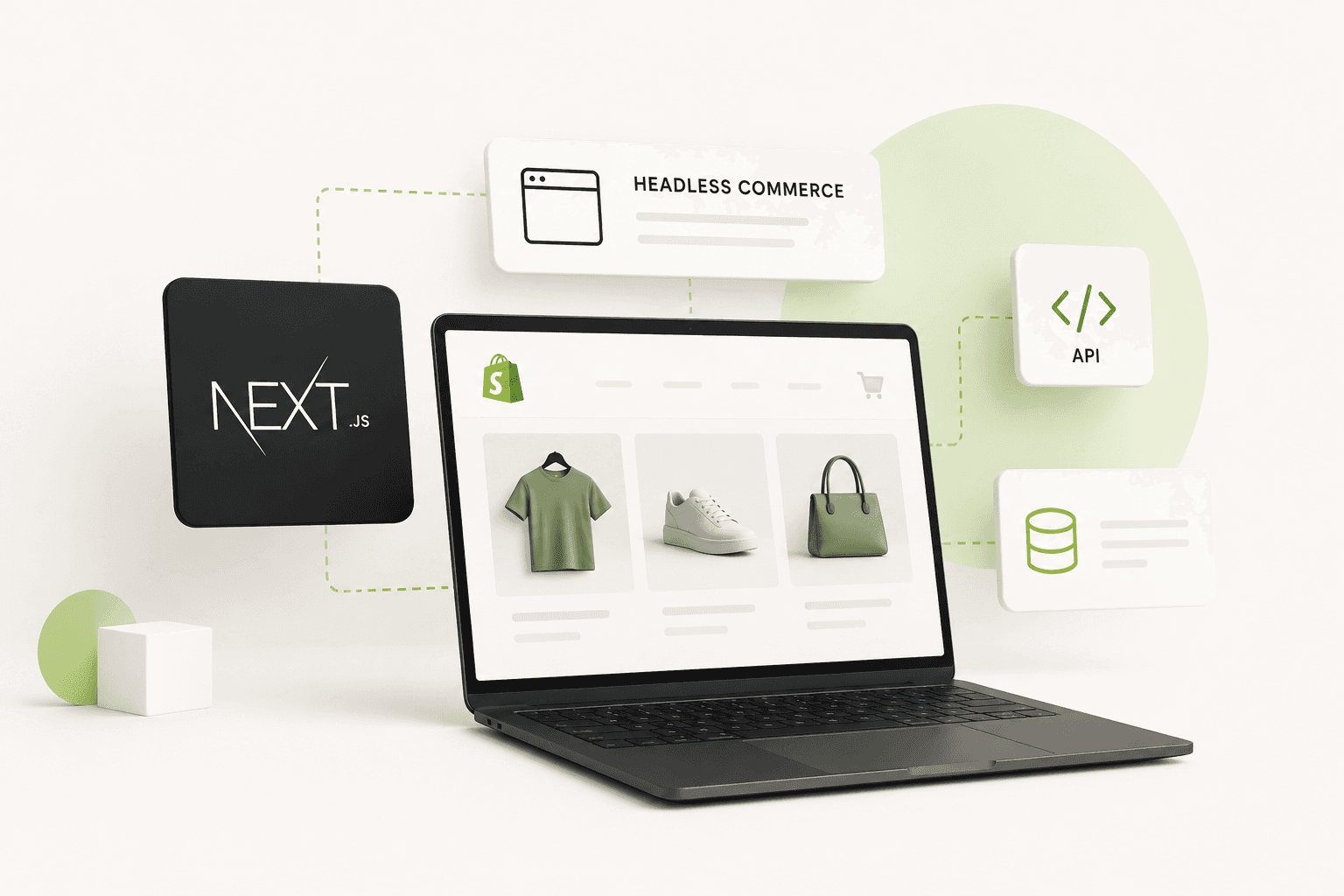
Headless Shopify has become an increasingly popular approach for brands that want more control over the storefront experience while continuing to use Shopify's powerful commerce infrastructure behind the scenes. Instead of using Shopify's theme system to render the entire storefront, a headless architecture separates the customer-facing frontend from the commerce backend.
With a traditional Shopify store, Shopify handles both the commerce platform and the storefront presentation through themes, Liquid, sections, templates, and Shopify's online store infrastructure. With a headless implementation, Shopify can continue handling products, inventory, customers, orders, checkout, and commerce operations while a separate frontend application controls the user experience.
Next.js is one of the most popular technologies for building these custom storefronts because it provides React-based development, flexible rendering strategies, strong routing capabilities, image optimization, server-side functionality, and a modern architecture suitable for content-heavy and commerce-focused websites.
In this guide, we will explore headless Shopify development with Next.js, how the architecture works, when it makes sense, its advantages and disadvantages, Shopify APIs, SEO considerations, performance, caching, authentication, checkout, content management, and the situations where a traditional Shopify theme may still be the better choice.
What Is Headless Shopify?
Headless Shopify means separating the storefront frontend from Shopify's commerce backend.
In a traditional Shopify implementation, Shopify themes use Liquid to generate the storefront pages. The theme controls the layout, templates, sections, product presentation, navigation, and much of the customer-facing experience.
In a headless architecture, the frontend can be built using technologies such as Next.js and React, while Shopify remains responsible for commerce functionality.
The architecture can be thought of as two major layers:
- Commerce backend: Shopify manages products, variants, inventory, orders, customers, pricing, and checkout-related functionality.
- Frontend: Next.js and React control how customers browse and interact with the storefront.
The two layers communicate through APIs.
This separation gives developers considerably more freedom over how the storefront is designed and rendered.
Traditional Shopify vs Headless Shopify
A traditional Shopify store is usually simpler to launch and maintain because the commerce platform and storefront are tightly integrated.
A headless Shopify store introduces an additional frontend application and API layer, which increases architectural flexibility but also increases development complexity.
A simplified comparison looks like this:
- Traditional Shopify: Shopify + Liquid theme + Shopify storefront.
- Headless Shopify: Shopify commerce backend + APIs + custom frontend such as Next.js.
Neither approach is universally better.
The right choice depends on the business requirements, team capabilities, budget, design requirements, content strategy, performance goals, and expected scale of the project.
Why Use Next.js for a Headless Shopify Store?
Next.js is built on React and provides several features that are particularly useful for modern commerce websites.
These include:
- Server-side rendering.
- Static generation.
- Dynamic rendering.
- File-based routing.
- React Server Components in the App Router architecture.
- Image optimization.
- Metadata APIs.
- Streaming and modern rendering capabilities.
- Flexible caching strategies.
- Middleware capabilities.
- Strong TypeScript support.
These capabilities allow developers to build highly customized storefronts without being restricted to Shopify's Liquid rendering model.
For businesses that need a modern frontend with custom interactions and a strong technical foundation, React & Next.js Development can be used to build performance-focused web experiences.
How Headless Shopify Architecture Works
A typical headless Shopify architecture may contain several layers.
- Next.js frontend: Renders the customer-facing website.
- Shopify Storefront API: Provides commerce data to the frontend.
- Shopify Admin API: Used for server-side management and administrative operations where appropriate.
- CMS: Can provide editorial content such as landing pages, articles, and marketing content.
- CDN: Delivers static assets and cached content efficiently.
- Analytics: Tracks customer behavior and business performance.
The Next.js application communicates with Shopify through APIs rather than rendering Shopify Liquid templates directly.
A customer might request a product page, Next.js retrieves the required product data from Shopify, generates or renders the page, and returns the resulting experience to the browser.
Shopify Storefront API
The Shopify Storefront API is an important part of headless Shopify development. It allows custom storefront applications to access commerce data and functionality through an API.
A Next.js application can use the Storefront API to retrieve information such as:
- Products.
- Product variants.
- Collections.
- Product images.
- Prices.
- Availability-related information exposed by the API.
- Cart information.
The exact capabilities available depend on the API version and Shopify's current platform capabilities.
For a production application, API versioning and Shopify's current documentation should always be considered when designing the integration.
Why GraphQL Is Important for Headless Shopify
Shopify provides GraphQL APIs that are especially useful for headless storefront development.
GraphQL allows the client to request the fields it needs instead of receiving a large fixed response containing unrelated information.
For example, a product card may only require:
- Product title.
- Handle.
- Price.
- Featured image.
- Availability.
There is no reason for a product listing request to retrieve every piece of product information if the interface does not use it.
Carefully designed GraphQL queries can therefore help keep data requirements focused and predictable.
Headless Shopify and Next.js SEO
SEO is one of the most important considerations when building a headless Shopify store.
A common misconception is that React-based applications are automatically bad for SEO. The actual outcome depends heavily on how the application renders content and manages metadata.
Next.js provides several rendering strategies that can be used to make important content available to search engines efficiently.
For e-commerce websites, important SEO requirements include:
- Unique page titles.
- Useful meta descriptions.
- Canonical URLs.
- Indexable product content.
- Structured data.
- Clean URLs.
- Internal linking.
- XML sitemaps.
- Robots directives.
- Fast page rendering.
- Mobile-friendly layouts.
Next.js can provide the infrastructure required for these elements, but developers still need to implement them correctly.
Server-Side Rendering for Product Pages
Product pages are often among the most valuable pages for e-commerce SEO.
A Next.js application can render product content on the server so that important information is available as part of the initial document rather than requiring all product information to appear only after client-side JavaScript executes.
This can be particularly useful for pages that need strong organic search visibility.
However, server rendering is not automatically required for every page. The appropriate rendering strategy depends on how frequently the content changes, how it is cached, and how the application is structured.
Static Generation for Shopify Content
Some e-commerce pages do not change frequently.
Examples might include certain landing pages, marketing pages, category pages, or editorial content.
Generating or caching these pages efficiently can reduce repeated backend work and improve response times.
Next.js provides different rendering and caching mechanisms that allow developers to decide how content should be generated and refreshed.
The best strategy depends on the application rather than a universal rule that every page should be statically generated.
Dynamic Rendering for Personalized Experiences
Some storefront experiences depend on information that changes per visitor.
Examples can include:
- Personalized recommendations.
- Customer-specific information.
- Location-based experiences.
- Authentication state.
- Dynamic promotional logic.
These scenarios may require dynamic rendering or client-side behavior.
The key is to avoid making the entire application dynamic when only a small part of the page requires personalization.
Next.js Image Optimization for Shopify
Images are extremely important for e-commerce because customers rely on product photography to understand what they are buying.
At the same time, large product images can become one of the biggest contributors to page weight.
Next.js provides image optimization capabilities through its Image component and image configuration system.
A well-designed headless storefront should:
- Request appropriate image dimensions.
- Avoid downloading huge images unnecessarily.
- Prioritize important above-the-fold images.
- Lazy-load images outside the initial viewport where appropriate.
- Maintain sufficient visual quality.
The objective is to provide customers with high-quality product visuals without unnecessarily increasing page weight.
Headless Shopify and Core Web Vitals
One of the major reasons companies consider Next.js for headless commerce is the opportunity to build a highly controlled frontend architecture.
However, headless does not automatically mean faster.
A poorly designed Next.js storefront can still suffer from:
- Large JavaScript bundles.
- Oversized images.
- Too many API requests.
- Excessive client components.
- Third-party scripts.
- Slow rendering.
- Unnecessary hydration.
- Poor caching.
Performance must therefore be designed into the architecture from the beginning.
For a deeper performance guide, read How to Optimize Core Web Vitals for Better SEO Rankings.
React Server Components and Headless Commerce
Modern Next.js applications using the App Router can take advantage of React Server Components.
The main idea is to keep components that do not need browser-side interactivity on the server, reducing the amount of JavaScript that needs to be sent to the client.
This can be useful for commerce pages containing large amounts of product information, navigation, editorial content, and other primarily static UI.
Interactive elements such as product selectors, cart controls, filters, and certain animations may still require client-side components.
The goal is not to eliminate client components. It is to use them intentionally.
Client Components in a Headless Shopify Store
Client components are useful when browser-side interaction is required.
Examples include:
- Product variant selectors.
- Interactive image galleries.
- Cart drawers.
- Search interfaces.
- Product filters.
- Wishlist controls.
- Interactive forms.
However, turning every component into a client component can unnecessarily increase the JavaScript payload.
Keep interactive functionality close to where it is actually needed.
Headless Shopify Cart Architecture
The shopping cart is one of the most important pieces of a headless commerce implementation.
A custom storefront needs to provide customers with the ability to:
- Add products to a cart.
- Change quantities.
- Remove products.
- View totals.
- Continue shopping.
- Proceed to checkout.
The exact implementation depends on the Shopify APIs and commerce architecture being used.
Cart state should be handled carefully so that customers do not lose items when navigating between pages or refreshing the browser.
Shopify Checkout in a Headless Store
Headless does not mean that you need to build an entire checkout system from scratch.
Shopify can continue to provide checkout infrastructure while the custom frontend handles the storefront experience.
This is one of the major advantages of headless Shopify: businesses can create a highly customized shopping interface without necessarily rebuilding the entire commerce infrastructure.
Checkout customization and capabilities depend on the Shopify plan, APIs, checkout architecture, and current Shopify platform features.
Headless Shopify and Content Management
Many commerce websites need more than product data.
Marketing teams may need to manage:
- Landing pages.
- Blog articles.
- Buying guides.
- Editorial content.
- Campaign pages.
- Brand stories.
- Promotional sections.
A headless architecture can connect Shopify with a separate content management system when the business requires a more flexible editorial workflow.
This can be useful for brands that have large content teams or complex content structures.
Headless Shopify and Multiple Channels
One potential benefit of separating commerce from presentation is the ability to reuse commerce data across different customer-facing experiences.
A business might eventually need:
- Web storefront.
- Mobile application.
- Digital signage.
- In-store interfaces.
- Custom shopping experiences.
Centralizing commerce operations in Shopify while creating different presentation layers can provide architectural flexibility.
Headless Shopify for Omnichannel Brands
Large brands often have complex digital ecosystems that extend beyond a single Shopify theme.
They may operate multiple storefronts, regional experiences, content systems, applications, and marketing platforms.
A headless architecture can make it easier to design a unified frontend strategy across these systems.
However, the additional flexibility comes with additional infrastructure and development responsibilities.
When Headless Shopify Makes Sense
Headless Shopify is often worth considering when a business has requirements that are difficult to satisfy efficiently with a standard Shopify theme.
Examples include:
- Highly customized storefront experiences.
- Complex interaction design.
- Large content-heavy commerce websites.
- Custom frontend applications.
- Advanced personalization.
- Multiple content systems.
- Omnichannel experiences.
- Strong frontend engineering requirements.
- Existing React or Next.js infrastructure.
- Large development teams.
When You Should Not Use Headless Shopify
Headless is not automatically the right choice for every Shopify store.
A traditional Shopify theme may be better when:
- The store is relatively simple.
- The business wants to launch quickly.
- The budget is limited.
- The design can be implemented using Shopify themes.
- The team does not have frontend development expertise.
- The business wants a simpler maintenance workflow.
- There is no strong reason to separate the frontend from Shopify.
For many small and medium-sized stores, a well-built Shopify theme can provide excellent performance and flexibility without the additional complexity of headless architecture.
If you need a custom Shopify theme rather than a headless storefront, explore the Shopify Development service.
Headless Shopify Development Cost
The cost of a headless Shopify project varies significantly depending on the scope.
A simple storefront and a large enterprise commerce platform are completely different engineering projects.
Cost can be influenced by:
- Number of pages.
- Number of products.
- Design complexity.
- Custom animations.
- Shopify integrations.
- CMS integration.
- Search functionality.
- Filtering.
- Customer accounts.
- Cart requirements.
- Analytics.
- SEO implementation.
- Testing.
- Deployment infrastructure.
- Ongoing maintenance.
Because of this, headless development should be evaluated based on business requirements rather than comparing it to the price of installing a Shopify theme.
Headless Shopify Development Workflow
A professional headless Shopify project should begin with architecture and requirements rather than immediately writing components.
- Understand business goals.
- Define the customer journey.
- Review Shopify requirements.
- Design the frontend architecture.
- Define API requirements.
- Plan SEO architecture.
- Design caching strategy.
- Build reusable UI components.
- Implement Shopify integration.
- Implement cart and checkout flows.
- Optimize images and assets.
- Implement analytics.
- Test performance.
- Test mobile experience.
- Deploy and monitor.
Build Reusable Components
React's component architecture makes it possible to create reusable storefront components.
Examples include:
- Product cards.
- Product galleries.
- Price displays.
- Variant selectors.
- Navigation.
- Cart components.
- Collection grids.
- Review sections.
- Content blocks.
- Call-to-action components.
Reusable components can make a large application easier to maintain and allow the same design system to be applied consistently across multiple pages.
TypeScript for Headless Shopify
TypeScript can be particularly useful for commerce applications because product, variant, cart, customer, and API data often have complex structures.
Strong typing can help catch certain mistakes during development and make large codebases easier to understand.
A well-designed TypeScript architecture can define types for:
- Products.
- Variants.
- Collections.
- Cart data.
- Customer data.
- API responses.
- Application configuration.
Caching in Headless Shopify
Caching is an important part of headless commerce because API requests can become expensive when every visitor triggers the same data retrieval process.
Product and collection data that changes infrequently may be suitable for caching, while highly dynamic information requires a different strategy.
The caching approach should consider:
- Data freshness.
- Product updates.
- Inventory changes.
- Pricing.
- Promotional campaigns.
- Personalization.
The goal is to reduce unnecessary requests without serving stale information where freshness is important.
Webhooks and Headless Shopify
Webhooks can be useful when your application needs to react to changes occurring in Shopify.
Depending on the use case, events may relate to commerce resources such as products, orders, customers, or inventory.
A webhook-based architecture can help synchronize external systems without constantly polling Shopify for changes.
Webhook processing should be implemented securely and should be designed to handle retries, duplicate events, failures, and asynchronous processing appropriately.
Security Considerations
Separating the frontend from the commerce backend introduces additional security responsibilities.
API credentials should never be exposed in browser-side code unless they are specifically intended to be public.
Server-side credentials, administrative API access, webhook verification, customer authentication, and external integrations should be handled carefully.
Use environment variables and server-side routes or functions for secrets that should not be exposed to customers.
Headless Shopify Analytics
Analytics should be planned during development rather than added as an afterthought.
A headless storefront may require tracking for:
- Page views.
- Product views.
- Searches.
- Product selections.
- Add-to-cart events.
- Checkout initiation.
- Purchases.
- Marketing campaigns.
Because the storefront is custom, developers need to ensure important customer events are tracked correctly across navigation and interaction flows.
Headless Shopify and Google Tag Manager
Google Tag Manager and analytics systems can be integrated into a headless storefront, but third-party scripts should be evaluated from a performance perspective.
Loading many marketing scripts can increase JavaScript execution and affect responsiveness.
Analytics requirements should therefore be balanced with performance and privacy considerations.
Headless Shopify and Structured Data
Structured data can help search engines understand important information about e-commerce pages.
Depending on the page type and available information, structured data may describe products, offers, organizations, breadcrumbs, articles, or other entities.
A headless frontend gives developers full control over how structured data is generated, but that also means developers are responsible for implementing it correctly and keeping it synchronized with the visible page content.
Headless Shopify and Internal Linking
Internal linking remains important even when a website is built with Next.js.
Product pages should be connected logically to collections, related products, categories, buying guides, and relevant editorial content.
A strong internal linking structure helps users discover more products while also helping search engines understand the relationship between pages.
Headless Shopify URL Architecture
URL structure should be planned before development.
A commerce website might use patterns such as:
/products/product-name/collections/category-name/blog/article-name/pages/about
The exact structure is less important than keeping URLs consistent, descriptive, stable, and easy for users and search engines to understand.
Headless Shopify Redirects
Changing platforms or URL structures can create broken links and SEO problems.
If an existing Shopify store is migrated to a Next.js storefront, carefully map old URLs to new URLs and implement appropriate redirects.
Do not launch a headless migration without auditing the existing website's indexed URLs and important backlinks.
Headless Shopify Migration SEO
A headless migration should be treated as an SEO project as well as a development project.
Before migration, record:
- Important indexed URLs.
- Organic landing pages.
- Page titles.
- Meta descriptions.
- Canonical URLs.
- Structured data.
- Internal links.
- XML sitemap information.
After launch, monitor Search Console and analytics for crawling problems, indexing changes, traffic changes, and broken URLs.
Headless Shopify Performance vs Traditional Shopify
It is tempting to assume that a headless storefront will always outperform a Shopify theme.
That is not necessarily true.
A well-built Shopify theme can be extremely fast, while a poorly implemented Next.js application can ship a large JavaScript bundle, make too many API requests, and delay rendering.
The advantage of headless is control. Developers have more control over rendering, component architecture, API requests, caching, content delivery, and frontend behavior.
That control can be used to create an excellent experience, but it also creates more responsibility.
Common Headless Shopify Mistakes
Several mistakes appear repeatedly in headless commerce projects.
- Using client-side rendering for everything.
- Making every component a client component.
- Sending unnecessary API requests.
- Downloading oversized images.
- Ignoring caching.
- Exposing secrets in browser code.
- Ignoring SEO during development.
- Forgetting redirects during migration.
- Adding too many third-party scripts.
- Building an unnecessarily complicated architecture.
These issues can reduce the advantages that headless architecture is supposed to provide.
Should a Small Shopify Store Go Headless?
For many small stores, the answer is often no.
If the store can achieve its goals using a high-quality Shopify theme, there may be little reason to introduce the additional complexity of a separate Next.js application.
A traditional Shopify implementation can be faster to develop, easier for merchants to manage, and simpler to maintain.
Headless becomes more compelling when the business has a strong reason to require custom frontend architecture.
When a Growing Brand Should Consider Headless
A growing brand may eventually reach a point where its storefront requirements become more complex.
Signs that headless may be worth investigating include:
- The existing theme cannot efficiently support the required UX.
- The business has a dedicated frontend team.
- The storefront requires complex interactions.
- The brand has significant content requirements.
- Multiple frontend channels are planned.
- Existing React infrastructure is already available.
- The company needs greater control over rendering and architecture.
Headless Shopify and Design Freedom
One of the biggest attractions of headless development is frontend freedom.
With a custom Next.js application, designers and developers are not limited to the structure of an existing Shopify theme.
They can build:
- Highly interactive product experiences.
- Custom navigation systems.
- Immersive storytelling pages.
- Advanced product configurators.
- Custom animations.
- Editorial commerce experiences.
- Unique landing pages.
This can be particularly valuable for premium brands where the storefront experience is an important part of brand differentiation.
Headless Shopify and Conversion Optimization
Design freedom should always support the customer journey.
Complex animations and interactive experiences may look impressive, but they should not make purchasing harder.
A successful headless storefront should make it easy for customers to:
- Discover products.
- Understand product benefits.
- Compare options.
- Select variants.
- Add products to the cart.
- Review their order.
- Continue to checkout.
Frontend freedom should therefore be combined with conversion-focused UX design.
Headless Shopify Maintenance
A headless store requires more technical maintenance than a typical Shopify theme.
The team may need to maintain:
- Next.js dependencies.
- React dependencies.
- API integrations.
- Deployment configuration.
- Environment variables.
- Caching strategies.
- Monitoring.
- Analytics.
- Security.
This should be considered before choosing headless architecture.
A Practical Headless Shopify Checklist
- Define why the store needs headless architecture.
- Choose the appropriate Next.js architecture.
- Plan Shopify API integration.
- Define product and collection data requirements.
- Design cart architecture.
- Plan checkout flow.
- Plan SEO before development.
- Implement metadata correctly.
- Implement canonical URLs.
- Implement structured data.
- Generate an XML sitemap.
- Configure robots directives.
- Plan redirects.
- Optimize images.
- Optimize JavaScript.
- Use server rendering where appropriate.
- Use client components intentionally.
- Implement caching.
- Protect API credentials.
- Integrate analytics.
- Test mobile performance.
- Test Core Web Vitals.
- Monitor production performance.
Final Thoughts
Headless Shopify with Next.js can be an excellent architecture for brands that need a highly customized storefront, advanced frontend experiences, stronger control over rendering, or integration with a broader digital ecosystem.
Next.js provides a powerful foundation for building the frontend while Shopify continues to provide the commerce infrastructure behind the experience.
But headless is not a magic performance solution. It introduces additional development complexity and responsibility. The application needs thoughtful API design, caching, image optimization, SEO implementation, security, analytics, and frontend architecture.
For smaller Shopify stores, a well-built traditional Shopify theme may be the better option. For larger or more technically complex brands, headless Shopify can provide the flexibility needed to create a highly differentiated digital commerce experience.
The most important question is not "Is headless better than Shopify themes?" but rather "Does the business have requirements that justify a headless architecture?"
If the answer is yes, Next.js and Shopify can form a powerful combination for building a modern, scalable, SEO-friendly, and highly customized commerce experience.
If you are planning a custom Shopify storefront, headless commerce implementation, Shopify API integration, or Next.js e-commerce project, explore the Shopify Development service and React & Next.js Development service by Built by Saurav.
If you already have a Shopify store and are considering moving to a headless architecture, contact Saurav to discuss your existing storefront, technical requirements, performance goals, and migration strategy.
Frequently Asked Questions
What is headless Shopify?
Headless Shopify separates Shopify's commerce backend from the customer-facing storefront. Shopify can continue managing products, inventory, orders, customers, and checkout-related functionality while a separate frontend such as Next.js renders the website.
Why use Next.js with Shopify?
Next.js provides React-based development, flexible rendering strategies, routing, image optimization, metadata management, caching capabilities, and a modern frontend architecture that can be used to build highly customized Shopify storefronts.
Is headless Shopify better than a Shopify theme?
Not universally. Headless provides greater frontend control but also introduces additional complexity. A traditional Shopify theme can be the better choice for many stores, while headless can be valuable for brands with complex frontend, content, integration, or scalability requirements.
Is Next.js good for Shopify SEO?
Yes. Next.js provides tools and rendering strategies that can support SEO-friendly storefronts. However, developers must correctly implement metadata, canonical URLs, structured data, internal linking, sitemaps, redirects, indexability, and server-rendered or appropriately generated content.
Does headless Shopify improve website speed?
It can provide more control over performance, but headless does not automatically make a website faster. A well-optimized Shopify theme can outperform a poorly implemented Next.js storefront. Performance depends on architecture, rendering, images, JavaScript, API requests, caching, and third-party integrations.
Can I keep Shopify checkout with a headless storefront?
Yes, a headless storefront can use Shopify's commerce and checkout infrastructure rather than requiring the business to build an entirely custom checkout system. The exact checkout capabilities depend on the Shopify configuration, APIs, plan, and current platform features.
Can Next.js use Shopify's GraphQL API?
Yes. Next.js applications can communicate with Shopify's GraphQL APIs to retrieve commerce data and implement custom storefront experiences. API versions and current Shopify platform documentation should be reviewed when building a production integration.
Is headless Shopify expensive?
Headless development generally requires more development and maintenance than a straightforward Shopify theme because the business is maintaining a separate frontend application and integration layer. The actual cost depends on the complexity of the storefront, integrations, content requirements, SEO, design, and functionality.
Should a small Shopify business use Next.js?
Not necessarily. If a high-quality Shopify theme can satisfy the business requirements, a traditional Shopify implementation may be faster and simpler. Next.js becomes more compelling when the business has specific requirements that justify a custom frontend architecture.
Can I migrate my existing Shopify store to Next.js?
Yes. An existing Shopify store can be used as the commerce backend while a new Next.js storefront is developed. A migration should include careful planning for URLs, SEO metadata, structured data, redirects, analytics, product data, cart behavior, performance, and deployment.
Can headless Shopify support custom designs?
Yes. One of the biggest advantages of headless Shopify is frontend flexibility. A Next.js storefront can implement custom layouts, interactions, animations, navigation, product experiences, and content structures that may be difficult to achieve efficiently with a standard theme.
Do I need a developer for headless Shopify?
Headless Shopify typically requires stronger technical knowledge than standard theme customization because the project involves React, Next.js, APIs, deployment, caching, SEO, security, and commerce integration. A developer experienced with both Shopify and modern frontend development can help design and maintain the architecture.
Can headless Shopify be optimized for Core Web Vitals?
Yes. A headless storefront can be designed around Core Web Vitals by optimizing LCP, INP, and CLS. Important techniques include efficient rendering, image optimization, reducing unnecessary JavaScript, minimizing third-party scripts, reserving layout space, and using appropriate caching strategies.
Where can I get Shopify and Next.js development help?
If you need a custom Shopify theme, headless Shopify storefront, Shopify API integration, or Next.js e-commerce development, explore the Shopify Development service and React & Next.js Development service. You can also contact Saurav to discuss your project requirements.