Headless Shopify with Next.js 14 is a powerful architecture for brands that need more control over storefront performance, user experience, SEO, and frontend development than a traditional Shopify theme can provide.
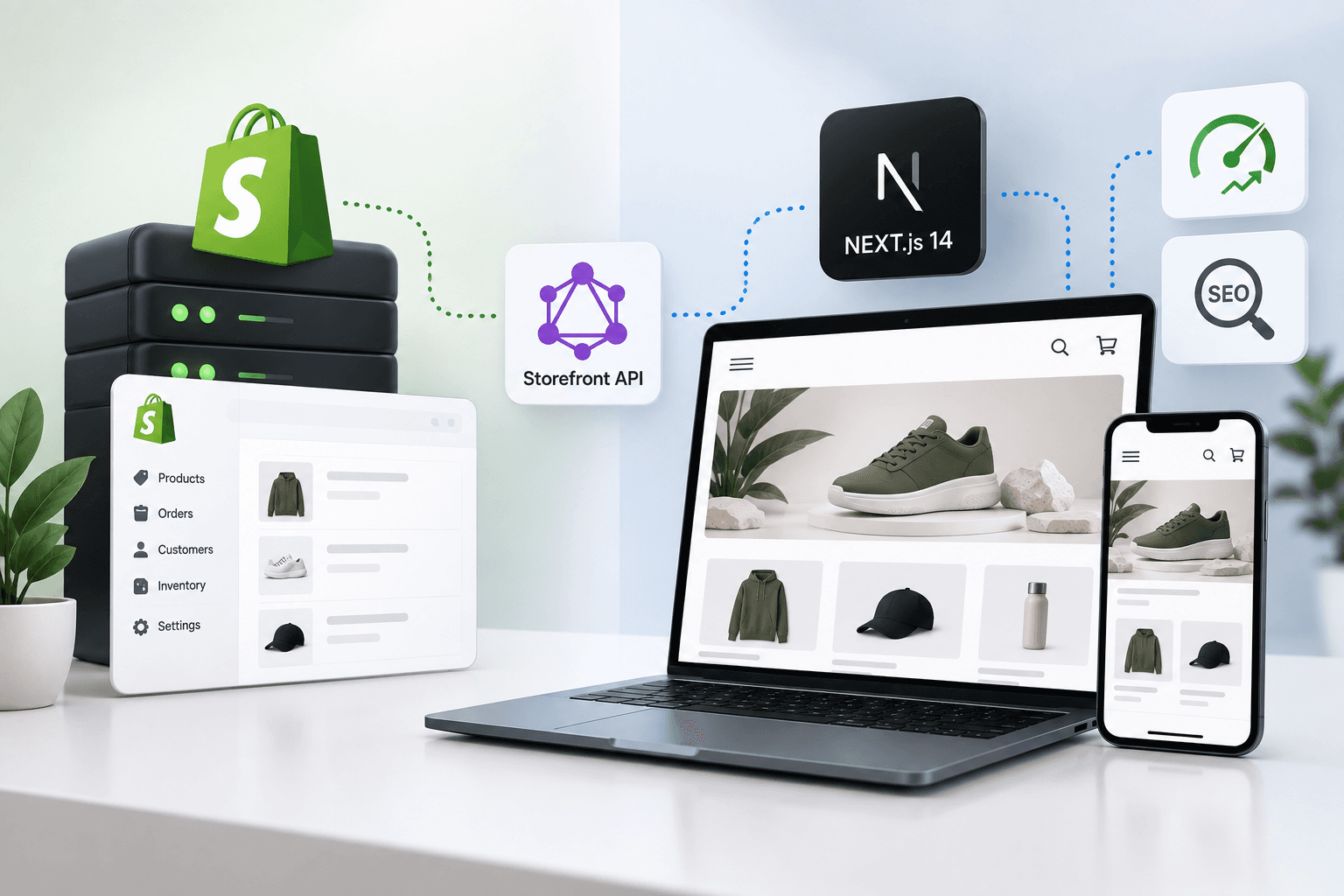
Shopify can continue handling products, inventory, orders, checkout, customers, and commerce operations whileNext.js becomes the frontend responsible for rendering the storefront.The two systems communicate through Shopify's Storefront API, which exposes commerce data through GraphQL.
< p > But simply connecting Next.js to Shopify does not automatically create a fast or SEO - friendly ecommerce website.A poorly designed headless implementation can introduce slow API requests, excessive JavaScript, incorrect caching, weak metadata, broken product URLs, poor image handling, and unnecessary client - side rendering.This guide explains how to design a headless Shopify + Next.js 14 architecture with performance and SEO as first-class requirements.
If you are deciding whether headless is right for your store, start with our Headless Shopify with Next.js guide for a broader comparison between traditional Shopify themes and headless commerce.
What Is Headless Shopify?
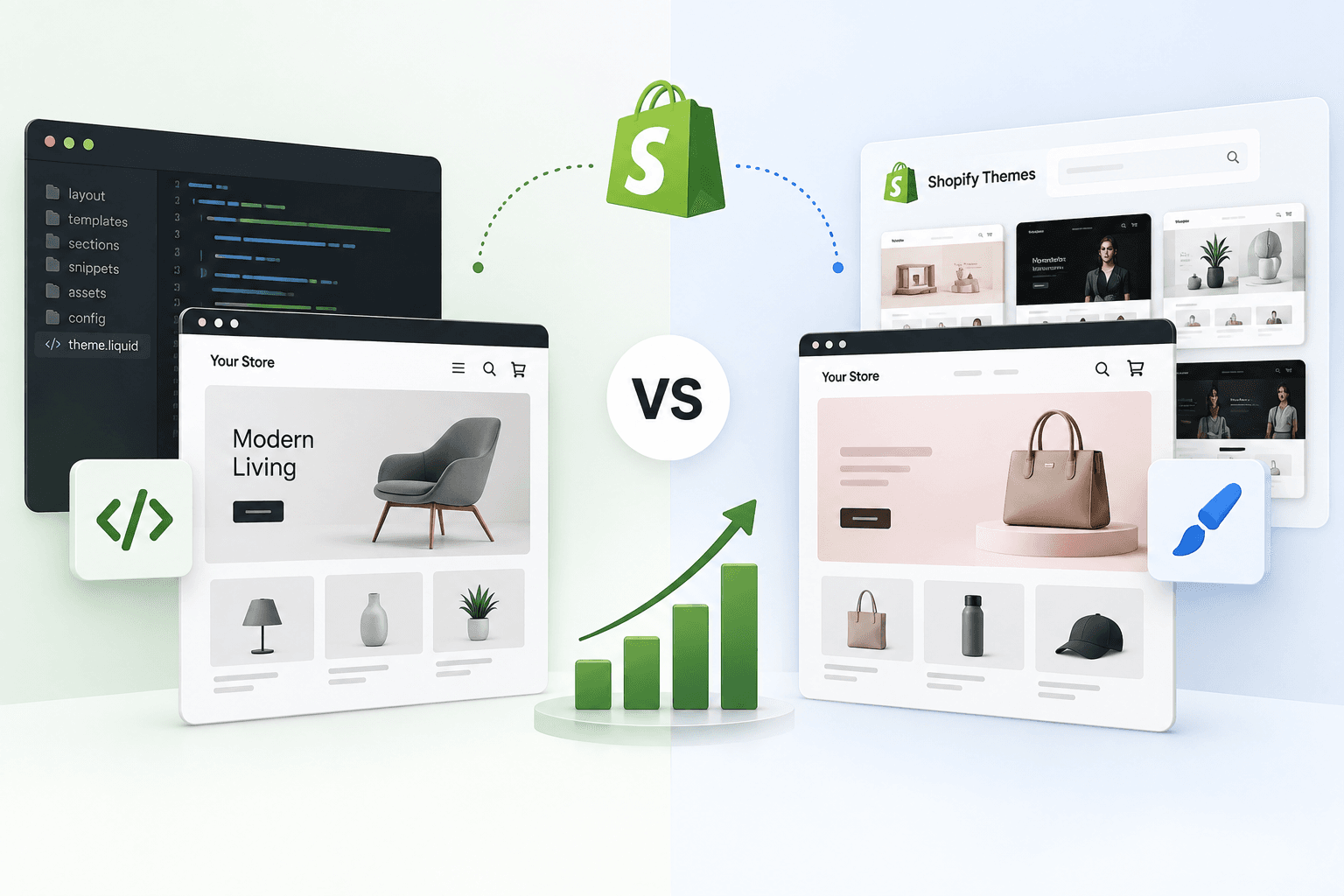
In a traditional Shopify store, Shopify provides both the commerce backend and the storefront through its theme system. Liquid templates, sections, snippets, CSS, and JavaScript are responsible for the customer-facing experience.
In a headless Shopify architecture, the storefront is separated from Shopify's native theme layer.
Shopify: Products, variants, inventory, collections, pricing, checkout, orders, customers, and commerce infrastructure.
Storefront API: GraphQL interface connecting the commerce backend to the frontend.
Next.js: Frontend application responsible for pages, components, routing, rendering, metadata, and user experience.
CDN / Hosting: Delivers the Next.js application and static assets globally.
The basic architecture looks like this:
Customer


↓
Next.js 14 Storefront
↓
Shopify Storefront API
↓
Shopify Commerce Backend
↓
Products / Inventory / Checkout
This separation gives development teams significantly more control over the frontend while allowing Shopify to remain the commerce engine.
Why Use Next.js 14 for Headless Shopify?
Next.js provides a strong foundation for building ecommerce frontends because it supports server rendering, static generation, dynamic routing, image optimization, metadata APIs, and modern React architecture.
For a Shopify storefront, these capabilities can be used to improve:
- Initial page rendering
- Product and collection SEO
- Core Web Vitals
- Navigation and user experience
- Custom storefront interactions
- Content management integrations
- Personalization
- Custom merchandising experiences
- Integration with external services
- Frontend development flexibility
The biggest benefit is not simply "Next.js is faster." The real benefit is that the development team has much more control over what is rendered, when it is rendered, how it is cached, and how much JavaScript reaches the browser.
Headless Shopify Architecture vs Traditional Shopify Theme
| Area | Shopify Liquid Theme | Headless Next.js |
|---|---|---|
| Frontend | Shopify theme | Next.js |
| Commerce backend | Shopify | Shopify |
| Templating | Liquid | React / Next.js |
| API communication | Mostly native theme objects | Storefront API |
| Frontend flexibility | High | Very high |
| Development complexity | Lower | Higher |
| SEO control | High | Very high, but implementation-dependent |
| Hosting | Shopify | Separate frontend hosting |
Headless should therefore be viewed as an architectural decision rather than simply a frontend framework choice.
When Should a Shopify Store Go Headless?
Headless Shopify makes the most sense when the business has requirements that are difficult or expensive to achieve with a conventional Shopify theme.
Common examples include:
- Highly customized storefront experiences
- Large-scale DTC ecommerce brands
- Complex merchandising experiences
- Custom product configurators
- Advanced personalization
- Multiple frontend experiences
- Content-heavy ecommerce websites
- Integration with external content platforms
- Custom application-like shopping experiences
- Teams already experienced with React and Next.js
For smaller stores with straightforward requirements, a well-built Shopify Online Store 2.0 theme can often provide excellent performance without the additional infrastructure and maintenance of headless commerce.
Our article on Shopify Online Store 2.0 explains how far the native Shopify theme architecture can be pushed before a headless build becomes necessary.
Understanding the Shopify Storefront API
The Shopify Storefront API allows a custom storefront to access Shopify commerce data using GraphQL.
A typical product query can request exactly the fields the frontend needs instead of downloading an entire product object.
query GetProduct($handle: String!) {


productByHandle(handle: $handle) {
    id
    title
    handle
    description
featuredImage {
        url
        altText
        width
        height
    }
    variants(first: 20) {
nodes {
            id
            title
            availableForSale
price {
                amount
                currencyCode
            }
        }
    }
}
}
This is one of the major advantages of GraphQL: the frontend can request the specific data required by the page.
For another useful comparison, read our guide on Shopify Admin API vs Storefront API.
Storefront API Authentication
A headless storefront should use the appropriate Shopify Storefront API access mechanism and keep credentials separated from private server-side credentials.
A common server-side setup stores configuration in environment variables:
SHOPIFY_STORE_DOMAIN=your-store.myshopify.com


SHOPIFY_STOREFRONT_ACCESS_TOKEN = your_token
SHOPIFY_API_VERSION = your_api_version
Never expose private Shopify Admin API credentials in browser-side JavaScript.
The public storefront application should only receive credentials that are intended for the Storefront API and should follow Shopify's current API authentication requirements.
Recommended Next.js Project Structure
A clean project structure helps prevent Shopify API logic from being scattered throughout React components.
app/


├── layout.tsx
├── page.tsx
├── products /
│   └──[handle] /
│       └── page.tsx
├── collections /
│   └──[handle] /
│       └── page.tsx
├── search /
│   └── page.tsx
└── cart /
└── page.tsx

lib /
├── shopify /
│   ├── client.ts
│   ├── queries.ts
│   ├── mutations.ts
│   └── types.ts

components /
├── ProductCard.tsx
├── ProductGallery.tsx
├── AddToCart.tsx
├── CartDrawer.tsx
├── Header.tsx
└── Footer.tsx
The exact structure can vary, but separating API communication from presentation components makes the application easier to test and maintain.
Create a Shopify GraphQL Client
Create a single server-side utility responsible for communicating with Shopify.
const domain = process.env.SHOPIFY_STORE_DOMAIN!;


const token = process.env.SHOPIFY_STOREFRONT_ACCESS_TOKEN!;
const version = process.env.SHOPIFY_API_VERSION!;

export async function shopifyFetch(
    query: string,
    variables?: Record
): Promise {

    const response = await fetch(
        https://example.com/api/2026/graphql.json,
        {
            method: "POST",
            headers: {
                "Content-Type": "application/json",
                "X-Shopify-Storefront-Access-Token": token,
            },
            body: JSON.stringify({
                query,
                variables,
            }),
        }
    );

    if (!response.ok) {
        throw new Error("Shopify API request failed.");
    }

    const json = await response.json();

    if (json.errors) {
        throw new Error(
            json.errors.map((error: { message: string }) => error.message).join(", ")
        );
    }

    return json.data;
}
Keeping API communication centralized gives you one place to manage headers, error handling, caching behavior, logging, and future API version changes.
Fetch a Product in Next.js
With the client in place, create a product query.
const PRODUCT_QUERY =

query Product($handle: String!) {
    productByHandle(handle: $handle) {
        id
        title
        handle
        description
featuredImage {
            url
            altText
            width
            height
        }
    }
};

export async function getProduct(handle: string) {
return shopifyFetch(PRODUCT_QUERY, {
handle,
});
}
Then the Next.js route can use the handle from the URL:
export default async function ProductPage({


params,
}: {
params: { handle: string };
}) {

const data = await getProduct(params.handle);

const product = data.productByHandle;

if (!product) {
notFound();
}

return (

{product.title}
{product.description}

);
}
In a modern Next.js application, server-side data fetching can keep commerce data out of the browser's initial JavaScript bundle.
Dynamic Product Routes for SEO
Your product URLs should be stable, descriptive, and consistent.
A common structure is:
/products/product-handleDynamic routing allows Next.js to generate a page for every Shopify product.
The handle should generally come from Shopify rather than being randomly generated by the frontend.
You should also ensure that changing a product's handle does not silently create broken URLs. Redirect management becomes an important part of headless Shopify SEO.
Generate SEO Metadata With Next.js
One of the biggest mistakes in headless ecommerce is treating SEO as an afterthought.
Every product and collection page should have unique metadata.
export async function generateMetadata({


params,
}: {
params: { handle: string };
}) {

const data = await getProduct(params.handle);
const product = data.productByHandle;

if (!product) {
return {};
}

return {
title: product.title,
description: createDescription(product),
alternates: {
canonical: https://www.example.com/products/${product.handle},
},
};
}
For production, avoid blindly using raw product descriptions as meta descriptions. Create a controlled description strategy that keeps titles and descriptions concise and useful for search users.
If you are coming from traditional Shopify development, compare this approach with our Shopify SEO checklist.
Canonical URLs in Headless Shopify
Canonical URLs are especially important when you have multiple routes that could represent the same product or collection.
For example, avoid accidentally creating multiple indexable versions such as:
/products/shirt


                /product/shirt
                /products/shirt?variant=123
                /products/shirt?color=black
The application should establish a canonical URL strategy and ensure that parameterized URLs do not create unnecessary duplicate pages.
This is especially important for large ecommerce catalogs where thousands of URLs can multiply quickly.
Product Structured Data
Headless Shopify does not automatically provide the structured-data behavior of a Shopify theme. Your Next.js frontend needs to implement the structured data strategy itself.
For product pages, this commonly includes Schema.org Product information such as:
- Product name
- Product image
- Description
- Brand
- SKU
- Offers
- Price
- Currency
- Availability
Only include structured data that accurately represents the visible and authoritative information on the page. Do not create fake ratings, reviews, prices, or availability data.
Next.js Image Optimization for Shopify
Images are one of the largest performance factors on ecommerce websites because product pages can contain multiple high-resolution images.
Next.js provides the Image component for image optimization, but Shopify image URLs and remote image configuration need to be handled correctly.
import Image from "next/image";
The main product image can be treated differently from secondary gallery images. The image that contributes to the page's LCP should receive careful priority treatment, while below-the-fold images generally should not be loaded as aggressively.
For additional image optimization principles, see our Shopify image SEO and optimization guide.
Optimizing the Largest Contentful Paint
LCP measures how quickly the largest relevant content element becomes visible.
On ecommerce product pages, the LCP element is often the main product image, a large heading, or a prominent hero section.
To improve LCP:
- Render the primary product content from the server.
- Avoid unnecessary client-side rendering for the main page.
- Optimize the primary image dimensions.
- Do not lazy-load the actual LCP image.
- Reduce blocking CSS and JavaScript.
- Use efficient image formats.
- Reduce unnecessary API round trips.
- Use caching for data that does not change frequently.
Headless architecture gives you more control over these factors, but it also means you are responsible for implementing them correctly.
Our guide on Core Web Vitals optimization covers the broader performance principles that apply to ecommerce pages.
Optimizing INP in a Headless Shopify Store
Interaction to Next Paint (INP) is affected by how much JavaScript the browser must execute when a customer interacts with the page.
Common sources of unnecessary JavaScript include:
- Large client-side component trees
- Heavy analytics scripts
- Third-party widgets
- Large UI libraries
- Complex product configurators
- Unnecessary hydration
- Expensive event handlers
- Large client-side state objects
Do not mark every component with "use client". Client components should be introduced where browser interaction actually requires them.
// Server component
export default async function ProductPage() {
const product = await getProduct();
return (
<>
In this example, the product information can remain server-rendered while only the interactive add-to-cart component needs client-side behavior.
Reducing Client-Side JavaScript
A headless storefront should not become a giant React application simply because React is available.
A useful rule is:
Server-render by default. Use client-side JavaScript only where interaction requires it.
Good candidates for client components include:
- Add-to-cart controls
- Quantity selectors
- Image galleries with interactive controls
- Variant selectors
- Cart drawer interactions
- Search autocomplete
- Interactive filters
Static product information, headings, descriptive content, navigation links, and many merchandising components can often remain server-rendered.
Caching Shopify Storefront API Requests
Caching is one of the most important performance considerations in a headless Shopify build.
Not every Shopify API request needs to be executed from scratch for every visitor.
Examples of data that may be suitable for caching include:
- Product information
- Collection information
- Navigation menus
- CMS content
- Brand information
- Editorial content
Highly dynamic information such as a customer's cart should generally be treated differently.
Next.js provides caching and revalidation capabilities that can be used to avoid unnecessary repeated requests.
const response = await fetch(shopifyUrl, {


method: "POST",
headers: {
"Content-Type": "application/json",
"X-Shopify-Storefront-Access-Token": token,
},
body: JSON.stringify({
query,
variables,
}),
next: {
revalidate: 300,
},
});Do Not Cache Customer-Specific Data Incorrectly
Caching becomes dangerous when personalized information is accidentally shared between users.
Be particularly careful with:
- Customer account data
- Private order information
- Cart contents
- Personalized pricing
- Customer-specific discounts
- Private tokens
Public product and collection data can often use aggressive caching, while private customer information requires a completely different strategy.
Build Shopify Collections in Next.js
Collection pages are critical SEO landing pages for ecommerce brands.
A collection query can request the information needed to render the collection and its products.
query Collection($handle: String!, $first: Int!) {


collectionByHandle(handle: $handle) {
title
description
handle
products(first: $first) {
nodes {
id
title
handle
featuredImage {
url
altText
width
height
}
priceRange {
minVariantPrice {
amount
currencyCode
}
}
}
}
}
}Our Shopify collection page SEO guide covers the SEO considerations that should also be applied to a headless collection architecture.
Cursor-Based Pagination
GraphQL APIs commonly use cursor-based pagination to efficiently navigate large datasets.
A typical pattern is:
products(first: 24, after: $cursor) {


nodes {
id
title
handle
}

pageInfo {
hasNextPage
endCursor
}
}Pagination should also be reflected in the user experience and SEO strategy. Infinite scroll alone can make discoverability more difficult if there are no crawlable URLs or accessible pagination paths.
Headless Shopify Search
Search can be implemented using Shopify's Storefront API capabilities, depending on the requirements of the storefront.
A search experience may include:
- Product search
- Predictive search
- Collection discovery
- Search suggestions
- Autocomplete
- Search filters
Keep autocomplete lightweight. A search box that sends a network request on every keystroke can quickly create unnecessary API traffic and browser work.
Use techniques such as debouncing and minimum query lengths.
let timeout;


                            function handleSearch(value) {

                                clearTimeout(timeout);

                            if (value.length < 2) {
return;
}

timeout = setTimeout(() => {
                                searchProducts(value);
}, 250);
}
Headless Shopify Cart Architecture
The cart is one of the more complicated areas of a headless Shopify implementation because it is dynamic and user-specific.
A typical flow looks like:
Product Page
                            ↓


                            Add to Cart
                            ↓
                            Storefront API Mutation
                            ↓
                            Cart ID
                            ↓
                            Persist Cart ID
                            ↓
                            Fetch Cart
                            ↓
                            Cart Drawer / Cart Page
                            ↓
                            Checkout URL
The application needs to persist the cart identifier appropriately and use it for subsequent cart operations.
Do not store sensitive customer information in places that are unnecessarily exposed to client-side JavaScript.
Add to Cart With GraphQL
A Storefront API cart mutation can be used to add merchandise to a cart.
mutation CartLinesAdd(


                            $cartId: ID!,
                            $lines: [CartLineInput!]!
                            ) {
                                cartLinesAdd(
                                    cartId: $cartId,
                            lines: $lines
                            ) {
                                cart {
                                id
totalQuantity
                            checkoutUrl
}


                            userErrors {
                                field
  message
}


}
}
The exact mutation fields should always be implemented against the Storefront API version currently used by your application.
After a mutation, the UI should use the returned cart state rather than assuming the operation succeeded.
Handle Storefront API Errors Properly
Never assume an API request succeeded simply because the HTTP request returned successfully.
GraphQL operations can return user-level errors inside the response.
            if (result.userErrors?.length) {
                throw new Error(
                result.userErrors
                .map((error) => error.message)
                .join(", ")
                );
            }
Production applications should provide a user-friendly error state instead of exposing raw API errors to shoppers.
Shopify Checkout in a Headless Store
You generally do not need to build your own payment processing system simply because the storefront is headless.
The headless frontend can use Shopify's commerce capabilities and direct the shopper into the appropriate Shopify checkout flow.
This is one of the major advantages of headless Shopify: the frontend can be completely customized while Shopify continues to handle critical commerce infrastructure.
SEO-Friendly Headless Shopify Navigation
Navigation should use real anchor elements whenever possible.
For example:
<Link href="/collections/new-arrivals">
                New Arrivals
Avoid building navigation that only works after JavaScript executes.
Important product, collection, category, and informational pages should remain discoverable through standard links.
This is particularly important because headless applications can accidentally become client-side applications where the browser must execute JavaScript before meaningful navigation exists.
XML Sitemap for Headless Shopify
Shopify does not automatically generate the same frontend sitemap experience when your public storefront is hosted separately.
Your Next.js application should have a deliberate sitemap strategy covering important indexable URLs such as:
- Homepage
- Product pages
- Collection pages
- Important content pages
- Blog articles
- Other SEO landing pages
Next.js supports metadata-related file conventions that can be used to generate sitemap and robots resources.
The sitemap should not blindly include every URL generated by the application. Only canonical, indexable pages should normally be included.
Robots.txt Strategy
Your headless storefront should also explicitly define its robots behavior.
Be careful with routes such as:
- Account pages
- Cart pages
- Checkout-related routes
- Internal search results
- Preview routes
- Debug routes
- Private application routes
Do not rely on robots.txt as a replacement for proper canonicalization and page architecture. These mechanisms solve different problems.
404 Pages and Shopify Products
If a product does not exist, the application should return an actual 404 response rather than rendering a normal page with an "out of stock" or "product not found" message and a successful HTTP status.
            const product = data.productByHandle;
            if (!product) {
                notFound();
            }
This distinction matters for both users and search engines.
Redirect Strategy for Deleted Products
Ecommerce catalogs change constantly. Products are renamed, discontinued, replaced, or moved.
A headless Shopify implementation therefore needs a redirect strategy.
When a product URL changes:
- Identify the old URL.
- Identify the new canonical URL.
- Create a permanent redirect where appropriate.
- Update internal links.
- Update sitemap data.
- Monitor crawl errors.
Do not allow every deleted product to become a permanent dead end if there is a relevant replacement or category destination.
Avoid Client-Side Rendering for Critical SEO Content
One of the most common headless Shopify SEO mistakes is rendering the entire product page only after a client-side API request.
For example, this architecture is risky:
Browser
                ↓
                Download JavaScript
                ↓
                Execute React
                ↓
                Request Shopify API
                ↓
                Receive Product
                ↓
                Render Product
A better architecture is to render important content on the server whenever practical:
Request
                ↓
                Next.js Server
                ↓
                Shopify Storefront API
                ↓
                Render HTML
                ↓
                Browser
                ↓
                Hydrate only interactive components
This can improve initial rendering and reduce the amount of work required in the browser.
Optimize Shopify GraphQL Queries
GraphQL gives you control over the fields requested, but that does not mean every query should request everything available.
A product card probably does not need the entire product description, every media asset, every variant metafield, and every related product.
Instead, create queries based on the component's actual requirements.
query ProductCard($handle: String!) {
            productByHandle(handle: $handle) {
                title
                handle
                    featuredImage {
                        url
                        altText
                            width
                            height
                        }
                        priceRange {
                            minVariantPrice {
                            amount
                        currencyCode
                        }
                    }
                }
            }
This keeps payloads smaller and makes the API layer easier to reason about.
If you work with Shopify APIs regularly, our guide on Shopify REST API vs GraphQL API explains the architectural differences in more detail.
Do Not Over-Fetch Product Variants
Products can contain many variants. Requesting every variant for every product card can create unnecessary payload size.
Use smaller queries for listing pages and reserve detailed variant data for the product page where it is actually needed.
This principle is especially important for large catalogs.
Use Static Generation Where It Makes Sense
Not every ecommerce page needs to be generated dynamically on every request.
Product and collection content can often benefit from static generation or incremental regeneration when the business can tolerate a small delay before content changes appear on the frontend.
This can dramatically reduce the number of requests that need to reach Shopify during normal browsing.
The appropriate revalidation period depends on the store's inventory, pricing, merchandising, and content requirements.
Performance Strategy for Product Pages
A high-performing headless product page should prioritize the content customers need immediately.
A recommended hierarchy is:
- Product title
- Primary product image
- Price
- Variant selection
- Add-to-cart interaction
- Availability
- Important product information
- Secondary gallery images
- Reviews
- Recommendations
- Additional third-party widgets
The most important content should not be blocked by secondary widgets.
Performance Strategy for Collection Pages
Collection pages often contain many product cards and therefore have a different performance profile.
Focus on:
- Efficient product queries
- Pagination
- Responsive images
- Limited initial product count
- Efficient filtering
- Minimal client-side JavaScript
- Stable product card dimensions
- Proper caching
Do not load the complete catalog into the browser just because the frontend can technically handle it.
Prevent Cumulative Layout Shift
CLS can happen when product images, fonts, banners, or interactive elements change dimensions after the page begins rendering.
For images, always reserve the required dimensions.
<Image
            src={image.url}
            alt={image.altText || product.title}
            width={image.width}
            height={image.height}
        />
Also reserve space for promotional banners, announcement bars, and dynamic components instead of allowing them to suddenly push the page content downward.
Fonts and Headless Shopify Performance
Custom fonts can improve brand presentation but can also affect rendering and layout stability.
Use the appropriate Next.js font tooling or optimized font loading strategy and avoid loading many font families and weights that the storefront does not actually use.
A typical ecommerce store does not need ten different font weights.
Keep typography intentional and performance-conscious.
Third-Party Scripts in Headless Commerce
Moving to Next.js does not automatically solve third-party script problems.
A headless storefront can still become slow because of:
- Analytics
- Advertising pixels
- Review platforms
- Chat widgets
- Heatmaps
- Personalization tools
- A/B testing platforms
- Affiliate tracking
Load non-essential third-party functionality only when it is actually needed and use the appropriate loading strategy.
Headless architecture gives you control over these scripts, but you still need a deliberate third-party performance budget.
Headless Shopify and Core Web Vitals
A successful headless implementation should monitor all three major Core Web Vitals:
| Metric | Main Concern | Common Headless Issue |
|---|---|---|
| LCP | Loading performance | Slow API or oversized hero image |
| INP | Interaction responsiveness | Too much client JavaScript |
| CLS | Visual stability | Images, fonts, or dynamic components without reserved space |
Do not treat a high Lighthouse score as the only performance objective. Real-user performance and field data are essential for understanding how customers actually experience the storefront.
SEO Checklist for Headless Shopify + Next.js
Before launching a headless Shopify storefront, verify the following:
- Every important page has a unique title.
- Every important page has a useful meta description.
- Canonical URLs are correctly configured.
- Product URLs are stable.
- Collection URLs are stable.
- Deleted products have an appropriate redirect strategy.
- 404 pages return the correct status.
- XML sitemap contains canonical indexable URLs.
- Robots rules are intentional.
- Product structured data is valid.
- Images have meaningful alt text.
- Important content is server-rendered.
- Internal links use crawlable anchor elements.
- Pagination is crawlable where appropriate.
- Search result pages are handled intentionally.
- JavaScript is not required for basic content discovery.
Performance Checklist for Headless Shopify
- Use server components by default.
- Minimize client components.
- Optimize the LCP image.
- Use responsive image dimensions.
- Cache public Shopify API data.
- Do not incorrectly cache private customer data.
- Keep GraphQL queries focused.
- Paginate large collections.
- Defer non-critical widgets.
- Minimize third-party scripts.
- Prevent layout shifts.
- Optimize fonts.
- Measure real-user performance.
- Monitor Core Web Vitals after launch.
Common Headless Shopify Mistakes
Mistake 1: Making Everything a Client Component
Using client components everywhere increases browser JavaScript and can make the application unnecessarily expensive.
Mistake 2: Fetching Shopify Data From the Browser
Critical product content should not depend on a browser-side request if it can be rendered on the server.
Mistake 3: Ignoring Caching
Repeatedly fetching identical product and collection data can create unnecessary latency and API load.
Mistake 4: Treating Next.js as Automatically Fast
Framework choice alone does not guarantee good Core Web Vitals. Architecture and implementation determine the result.
Mistake 5: Forgetting SEO Migration
Moving from Shopify Liquid to headless can change URLs, metadata, canonical tags, redirects, structured data, and sitemap behavior.
Mistake 6: Overcomplicating the Architecture
Headless adds infrastructure. Don't introduce additional services simply because they are technically available.
Headless Shopify Deployment Architecture
A production deployment can look like this:
User
            ↓
            CDN / Edge
            ↓
            Next.js Application
            ↓
            Cached Shopify GraphQL Requests
            ↓
            Shopify Storefront API
            ↓
            Shopify Commerce
Static assets and cacheable pages should be served as close to the customer as practical, while dynamic operations should reach Shopify only when necessary.
Environment Variables and Security
Keep sensitive configuration outside your source code.
.env.local
            SHOPIFY_STORE_DOMAIN=...
            SHOPIFY_STOREFRONT_ACCESS_TOKEN=...
            SHOPIFY_API_VERSION=...
Do not commit secrets to Git repositories.
Also distinguish between values that are intentionally public and credentials that must remain server-side.
How to Monitor a Headless Shopify Store After Launch
Performance optimization should not stop when the website goes live.
Monitor:
- Core Web Vitals
- Server response time
- Shopify API latency
- JavaScript errors
- 404 errors
- Redirect chains
- Indexation issues
- Sitemap errors
- Checkout failures
- Cart mutation errors
New products, apps, analytics tools, campaigns, and frontend features can gradually introduce performance debt.
When Headless Is Not the Right Choice
Headless Shopify is powerful, but it is not automatically the best solution.
A traditional Shopify theme may be a better choice when:
- The store has a straightforward ecommerce experience.
- The team wants Shopify's native theme editor.
- Development resources are limited.
- Fast implementation is more important than maximum frontend flexibility.
- The existing Online Store 2.0 theme already meets the requirements.
- There is little need for custom frontend architecture.
A well-optimized Shopify Liquid theme can deliver excellent SEO and performance without the additional complexity of headless infrastructure.
If your existing theme is slow, read our guide on how to fix slow Shopify page speed before deciding that a full headless migration is necessary.
Headless Migration Checklist
If you are migrating an existing Shopify store to Next.js, use this checklist before switching the production domain.
- Inventory all existing Shopify URLs.
- Map old URLs to new URLs.
- Preserve product and collection handles where possible.
- Implement metadata.
- Implement canonical URLs.
- Implement structured data.
- Generate the new sitemap.
- Configure robots rules.
- Implement 404 handling.
- Implement redirects.
- Test product pages.
- Test collection pages.
- Test cart functionality.
- Test checkout.
- Test mobile performance.
- Test Core Web Vitals.
- Verify analytics and tracking.
- Crawl the staging website.
- Validate production URLs.
- Monitor search performance after launch.
Headless Shopify Performance Architecture: The Ideal Flow
A strong architecture should minimize unnecessary work at every stage.
Customer Request
            ↓
            CDN / Edge Cache
            ↓
            Next.js Server
            ↓
            Cached Shopify GraphQL Data
            ↓
            Server Rendered HTML
            ↓
            Browser
            ↓
            Small Interactive Client Components
            ↓
            Storefront API Mutations When Needed
The principle is simple: render as much as possible on the server, cache what can safely be cached, and send JavaScript only where interaction requires it.
Headless Shopify SEO + Performance: Final Checklist
| Category | Priority |
|---|---|
| Server rendering | Critical |
| Storefront API caching | Critical |
| Product SEO metadata | Critical |
| Canonical URLs | Critical |
| Redirects | Critical |
| Structured data | High |
| Image optimization | Critical |
| Client JavaScript | Critical |
| Core Web Vitals | Critical |
| Sitemap and robots | High |
Final Thoughts
A headless Shopify store built with Next.js 14 and the Storefront API can provide an extremely flexible foundation for modern ecommerce brands. Shopify continues to handle the commerce engine while Next.js gives developers control over the storefront experience.
But headless is not a shortcut to performance or SEO. The architecture only creates the opportunity for better control. The actual results depend on how the application handles rendering, GraphQL queries, caching, images, JavaScript, metadata, structured data, redirects, and Core Web Vitals.
The strongest implementation usually follows a few simple principles:
- Use Shopify as the commerce backend.
- Use the Storefront API for storefront data.
- Keep GraphQL queries focused.
- Render critical ecommerce content on the server.
- Use client components only where interaction requires them.
- Cache public data intelligently.
- Optimize product and collection images.
- Build SEO into the architecture from day one.
- Maintain clean canonical URLs and redirects.
- Continuously monitor Core Web Vitals and real-user performance.
For brands that genuinely need a highly customized ecommerce experience, Next.js + Shopify Storefront API can be an excellent headless commerce architecture.
If you're planning a headless Shopify project, migrating an existing Shopify store, or need a performance-focused custom ecommerce frontend, explore our React and Next.js development services and Shopify development services.
You can also explore our portfolio to see examples of our development work.